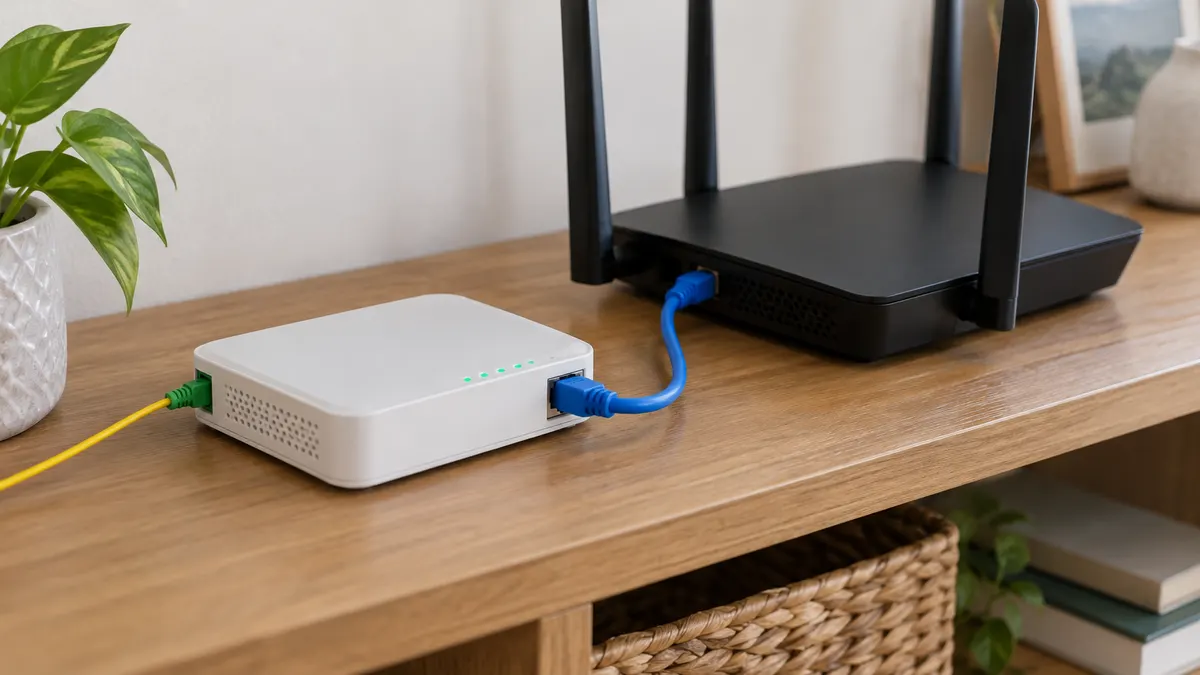
Plenty of people buy their own router because the provider's Wi-Fi feels inadequate, then plug it into the ONT through the WAN port. The internet works, the Wi-Fi is stronger, and everything looks fine. The trouble shows up weeks later: the camera can't be reached from outside, the game console complains about NAT, or the work VPN keeps dropping for no obvious reason.
The cause is almost always the same: two routers are both doing their job, one inside the ONT and one that belongs to you. Bridge mode is one way to sort that out, but not the only way, and on some subscriptions it isn't the wise one.
Router mode and bridge mode
The equipment a provider installs on a fibre subscription usually plays several roles at once: the ONT that translates the light signal, a router that shares the connection, and a Wi-Fi access point. That division of roles is explained in the guide to modems, routers, and ONTs. What matters here is the two ways the device can operate.
Router mode is the default. The ONT itself "dials" the provider to open the internet connection, usually over PPPoE with a username and password already stored inside it. It receives the WAN address, runs NAT, hands out local addresses via DHCP, and broadcasts Wi-Fi.
Bridge mode switches all of those router duties off. The ONT just passes the connection through, as is, to a particular LAN port. Whatever is plugged into that port, your router, then opens the PPPoE session, receives the WAN address, and runs NAT and DHCP for the whole household.
The end result: only one router is doing the thinking. The ONT goes back to being a signal translator.
Double NAT and its symptoms
When your router is plugged into a LAN port on an ONT that's still in router mode, your router receives a local address from the ONT, say 192.168.1.x, then builds a second local network behind it. Traffic from your laptop goes through address translation twice before reaching the internet. NAT, and its provider-scale version CGNAT, are covered in the guide to NAT and CGNAT.
For browsing, streaming, and video calls, double NAT is barely noticeable. What suffers is anything that needs an incoming connection:
- Port forwarding doesn't work. The rules on your own router are never triggered, because requests from outside stop at the ONT. The ONT has no idea they were meant for your router.
- The console's NAT type shows Moderate or Strict. UPnP on your router can open ports, but only on its own layer; the ONT's layer stays closed. Matchmaking takes longer, voice parties fail, or you can't host.
- Remote access to CCTV or a recorder fails when it relies on a direct IP address and port, although the manufacturer's own cloud service usually keeps working.
- Some VPNs are unstable, especially older types not designed to cross several layers of NAT, or a VPN you run at home so you can reach it from outside.
- Settings become confusing. Two admin pages, two device lists, and two places to hunt for a fault.
Confirming it is quick: open your router's status page and look at its WAN address. If it starts with 192.168., 10., or 172.16 through 172.31., your router sits behind another router, the ONT.
Check for CGNAT first. After bridging, the WAN address moves to your router. If that address starts with 100.64 through 100.127, or differs from what a check-my-IP site shows, you're still behind the provider's CGNAT. Bridge mode removes one layer of NAT but doesn't touch the one outside your home. For reaching your home from outside, what helps is asking for a public IP address, not bridging.
When bridge mode is worth it
Bridge mode makes sense when these conditions are all met:
- You have a real need for incoming connections: port forwarding for a server or recorder, an open NAT type for gaming, or a VPN into your home.
- Your router supports PPPoE on its WAN port and, if needed, VLAN tagging. Almost every modern home router supports PPPoE; WAN VLAN support varies more, so check the manual or the WAN menu.
- You already have the PPPoE username and password. These usually aren't on the contract, and they're stored inside the ONT with the password masked. The most reliable route is to ask customer service. Ask too whether the connection uses a particular VLAN number.
- You can reach the menu that holds the bridge option. On some devices, the admin account given to customers doesn't show this menu, and the change has to be made by the provider.
If any of these isn't met, stop there. Switching the ONT to bridge without the PPPoE details in hand means your home has no internet until you can get hold of the provider.
When it's better not to
There are situations where what bridging gains isn't worth what it costs.
Extra services tied to the ONT. If your subscription includes TV over the internet (IPTV) or a home phone over the internet (VoIP), those services are often configured inside the ONT with their own paths and settings. Switching the internet connection to bridge can stop the TV decoder or phone working, or leave them working, depending on how the provider set things up. Since the outcome can't be predicted from outside, ask the provider before trying.
Technical support. When the internet misbehaves, provider staff usually check from the ONT: whether the PPPoE session is up, how long it has been connected, whether there's a fault. In bridge mode that information moves to your router, which they can't see. Some providers will ask for the ONT to be returned to router mode before investigating further.
The ONT's Wi-Fi goes too. In bridge mode the ONT no longer hands out addresses, so its built-in Wi-Fi is generally switched off or becomes useless. All the Wi-Fi in your home now depends on your router. If that router fails, the house is offline until the ONT goes back to router mode.
No need for incoming connections. If your only reason is weak built-in Wi-Fi, bridge mode adds neither speed nor coverage. Your router can be used without changing anything on the ONT, as the next section explains.
You live in a boarding house (kos) or rental with a shared ONT. An ONT used by every tenant is no place to experiment. The moment it becomes a bridge, every other room loses its connection until your router is up and configured. Sensible options for that situation are in the guide to internet in rented homes and boarding houses.
What subscribers in Indonesia should know
The ONTs that Indonesian providers install are usually made by ZTE or Huawei, and they're lent to you, not sold. That means the provider can still change their settings remotely, and the admin account given to customers is often restricted. Before touching anything, find out three things: the connection type (PPPoE or DHCP), the VLAN number if there is one, and whether the address you're given is public or private.
| Provider | What to confirm first |
|---|---|
| IndiHome | The connection uses PPPoE. Ask for the username, password, and VLAN number through the 188 call centre, which replaced 147 in 2025. Have your customer ID ready before calling. If you have a TV decoder, the TV service runs on its own path in the ONT. |
| Biznet Home | Its subscription terms state that the Internet plans (0D to 2DN) get a private IP via DHCP, while the Gamers plans get a dynamic public IP. On an Internet plan, bridging won't make your home reachable from outside. |
| Other providers | Ask customer service the three questions above. The answers differ between providers, and even between regions. |
Plan terms can change. This table reflects the situation as of November 2026. How to read the WAN address and recognise CGNAT, including the position of some other providers, is in the guide to NAT and CGNAT.
Where the menu sits on common ONTs
On many ZTE ONTs, such as the F670L, the internet connection is under Network, then WAN, then WAN Connection, with a Route or Bridge type option. Which LAN port carries it is set in the Port Binding menu under WAN. On the Huawei HG8245H family, the WAN menu has a WAN Mode option with Route WAN and Bridge WAN, plus an Enable VLAN box for entering the VLAN number.
If the bridge option doesn't appear on your account, that's deliberate. Forums circulate a trick for revealing it by editing the page through the browser's Inspect feature. The result can be a half-made connection that disappears after the ONT restarts, or an ONT that a technician has to reconfigure. It's safer to ask the provider to make the change.
Three example situations
- A home with IndiHome and a TV decoder, where the kids complain of Strict NAT on the console. Try DMZ to the router first. The TV stays safe, and the NAT type often improves.
- A shop with a CCTV recorder on a Biznet Home Internet plan. Bridging won't help because the address is private at the provider. The options are moving to a plan with a public IP or using the recorder's own cloud service.
- A small office that needs inbound VPN and already holds the PPPoE details. This is the situation bridging suits best. First confirm the WAN address after bridging really is public, then follow the steps below.
Three lighter alternatives
DMZ from the ONT to your router
Leave the ONT in router mode, then in the ONT's DMZ menu point the DMZ at your router's WAN address. Ideally make that address fixed, either with a static address on your router's side or a DHCP reservation on the ONT.
The result: every incoming connection the ONT doesn't recognise is passed straight to your router. Port forwarding and UPnP on your router start working, and the console's NAT type often improves. Technically double NAT is still there, so a few very sensitive cases may still struggle, but for most homes this is enough. The advantage is that IPTV, VoIP, and provider diagnostics are left undisturbed.
Point the DMZ only at the router, never at a laptop or camera. A router has its own firewall; an ordinary device set as the DMZ is fully exposed to the internet.
Turn off only the ONT's Wi-Fi
If the real complaint is Wi-Fi networks clashing or devices joining the wrong transmitter, simply turn off the Wi-Fi on the ONT and let your router do the broadcasting. Double NAT remains, but if you don't need incoming connections, it costs you nothing.
Your router as an access point
This is the cleanest option if all you want is better Wi-Fi. Your router is connected LAN port to LAN port, its DHCP is turned off, and it stops being a router. There's only one NAT, in the ONT, so no double NAT at all. Port forwarding is configured on the ONT if needed. The full steps are in the guide to setting up two routers on one network; some routers also have an "Access Point Mode" option that does the same thing automatically.
| Option | Double NAT | Incoming connections | ONT services safe |
|---|---|---|---|
| Bridge mode | Gone | Managed on your router | Needs checking |
| DMZ to router | Still there, small impact | Generally work | Yes |
| ONT Wi-Fi off | Still there | No improvement | Yes |
| Router as access point | None | Managed on the ONT | Yes |
Outline of the bridge mode steps
Menu names vary between devices, so what follows is an outline, not button-by-button instructions.
- Record the ONT's current settings. Open the WAN page and screenshot everything on it: connection type, VLAN number if any, PPPoE username, and which LAN ports are bound to it. This is your way back.
- Prepare your router first. In the router's WAN menu, choose PPPoE, enter the username and password from the provider, plus the VLAN if required. The MTU is usually filled in automatically for PPPoE; change it only if the provider specifies a value.
- Switch the ONT's internet connection to bridge. On many devices this means changing the internet WAN connection from route mode to bridge mode, then choosing which LAN port carries it. Don't touch any separate connections for TV or phone.
- Connect the cable from the chosen LAN port on the ONT to your router's WAN port.
- Check the result. Your router's status page should show PPPoE connected with a WAN address. Compare that address with a check-my-IP site to confirm there's no CGNAT.
- Secure your router. It now faces the internet directly. Change the default admin password, disable remote management, and update the firmware, following the list in the guide to securing your home router.
- Only then set up port forwarding on your router, following the guide to port forwarding.
If PPPoE on the router won't connect, the most common causes are a mistyped password, a missing VLAN number, or a cable plugged into an ONT port that wasn't made the bridge port.
How to go back
Plan the way home before you start, not after the internet has gone down.
- Use those screenshots. Switch the ONT's internet connection back to route mode with PPPoE, re-enter the username, password, and VLAN exactly as before, then turn the ONT's Wi-Fi back on if you need it.
- Move the cable. If you're keeping your router, connect it as an access point through a LAN port, or leave it on the WAN port knowing double NAT is back.
- Avoid resetting the ONT as a shortcut. A factory reset on the ONT can wipe the settings the provider configured, including connection details and TV services. Some providers push the settings again remotely; others need a technician visit. The difference between a reset and a simple restart is explained in the guide to factory resetting a router.
- If you're stuck, contact the provider and tell them plainly that the ONT was switched to bridge mode. That saves their time and yours.
In short
Bridge mode turns the ONT back into a plain signal translator and hands every router duty to your own device. The result is one layer of NAT, one place to configure, and incoming connections fully under your control.
The price: you need PPPoE details from the provider, TV or phone services may be disrupted, and provider diagnostics get harder. If all you need is better Wi-Fi, make your router an access point. If you need incoming connections but have doubts about bridging, try DMZ to the router first. And whichever you choose, make sure your WAN address isn't behind CGNAT, because no mode inside your home can get around it.
Frequently asked questions
What is bridge mode on an ONT or modem?
A mode in which the ONT stops doing a router's job: it no longer opens the internet connection, hands out local addresses, or runs NAT. It simply passes the connection from the fibre line through to one device behind it, usually your own router, which then takes over all of those tasks.
What do I need to use bridge mode?
Access to an ONT settings menu that offers a bridge option, your own router with PPPoE support, and the PPPoE username and password from your provider. Some providers also require a VLAN number. Without the PPPoE details, your router can't connect once the ONT is bridged.
Does bridge mode get around CGNAT?
No. Bridge mode removes the NAT layer inside your home, while CGNAT sits at the provider. If the WAN address your router receives is still a shared one, port forwarding from outside still won't arrive, and what you need to ask for is a public IP address from the provider.
How do I get my IndiHome PPPoE details?
Ask through the 188 call centre or another official Telkomsel channel, with your customer ID ready. Ask for the internet VLAN number at the same time, and whether the address you receive is public or private, because all three decide whether bridging is worth trying.