There's an explanation internet providers rarely offer, and it answers several complaints that seem unrelated: a home camera unreachable from outside, port forwarding set up correctly that still does nothing, and certain games always placing you in the worst position.
The cause is the same: your internet address isn't really yours.
NAT: one address for the whole house
Your home has many devices, phones, laptops, a TV, cameras, but only one connection to the internet. And the internet knows only one address for that connection.
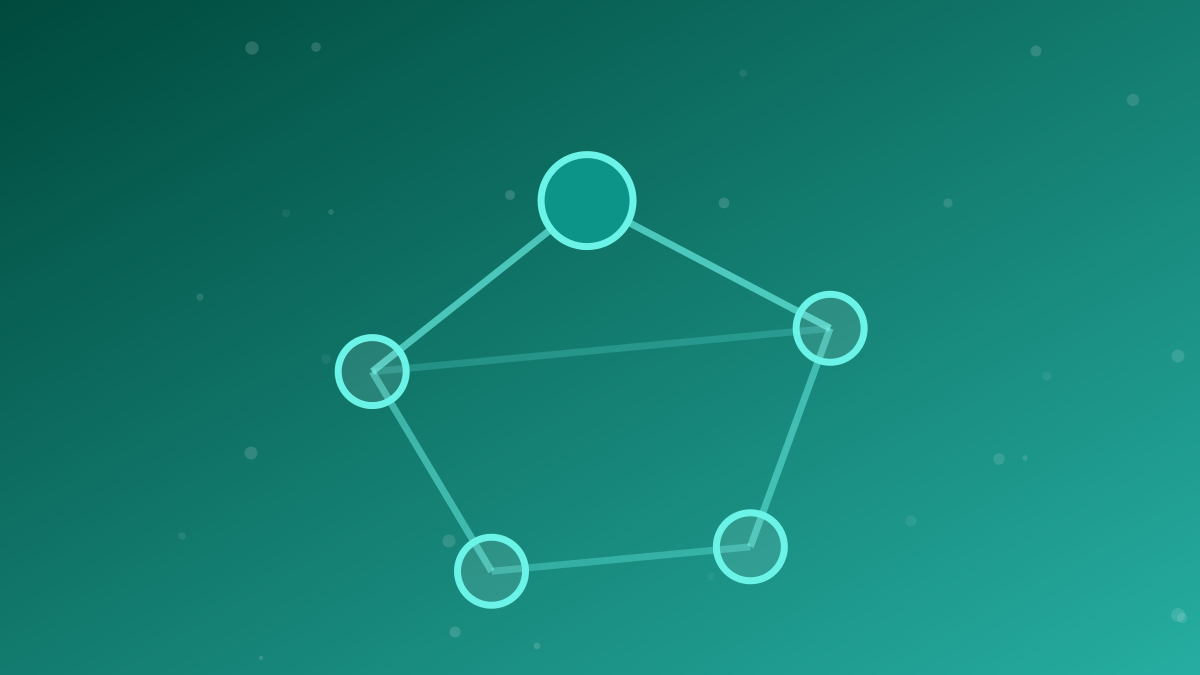
NAT is how the router resolves that mismatch. When your phone asks for something, the router replaces the sender's address with the household one, notes who asked, then returns the answer to the right device.
A reasonably close comparison: one office phone number with many rooms behind it. Outside callers only know the office number; the receptionist knows which room the call belongs to.
Addresses inside the home, those beginning 192.168 or 10.0, mean nothing outside it. How they get handed out is covered in the guide to local IPs, DHCP, and conflicts.
NAT isn't a security feature, though it acts like one. Because inside devices have no address reachable from outside, they can't simply be knocked on. That's a fortunate side effect, and not a substitute for a firewall, covered in the guide to firewalls.
CGNAT: one address for many homes
The older kind of internet address exists in limited numbers, and those ran out long ago. Providers face the same problem your home does, at far greater scale: too many customers, too few addresses.
Their answer is to do the same thing again. Rather than giving each home an internet address, they place hundreds or thousands of homes behind one shared address. That's CGNAT, NAT operated at provider scale.
The result is two layers of translation between your phone and the internet:
| Layer | Happens at | What's shared |
|---|---|---|
| NAT | Your home router | One address across all devices at home |
| CGNAT | The provider's equipment | One address across many homes at once |
Back to the phone comparison: your office no longer has its own number. It shares one with the whole building, and the building's receptionist doesn't know your office exists.
What stops working
For everyday use, CGNAT is barely perceptible. Browsing, streaming, and video calls all start from your side, and a request that goes out can always find its way home.
What breaks is anything requiring someone else to reach you first.
- Port forwarding stops working entirely. You can configure it correctly and still see nothing happen, because outside requests never arrive at your router, see the guide to port forwarding.
- Direct access to a camera or recorder from outside can't be established. This is the most common cause behind the complaint discussed in the guide to Wi-Fi camera security.
- Hosting anything: a game server, file sharing, remote access to a home computer, is no longer possible without an intermediary.
- Some games place you badly, because you can't accept direct connections and must route through a relay.
- Your address is shared with strangers, so blocks or verification checks triggered by your digital neighbours occasionally catch you too.
Checking whether you're behind CGNAT
The check is quick and needs no tools.
Note the WAN address in the router panel
Sign into the router's settings and find the status or WAN information page. The figure there is the address your provider gave your router.
Note the public address from outside
Open a check-my-IP site from any device on that network and note the figure it shows.
Compare them
If they match exactly, your connection has its own address. If they differ, there's an extra layer of translation at the provider, that's CGNAT.
Look at the number pattern
A WAN address starting 100.64 through 100.127 is a fairly definitive marker, since that range is reserved specifically for CGNAT. Addresses starting 10., 172.16–31., or 192.168. indicate the same thing.
Options if you genuinely need one
There are four ways out, ordered by how often each is worth it.
Reconsider whether you actually need it
Most needs that appear to demand your own address don't. Modern cameras call out to their manufacturer's service, and that works behind CGNAT without trouble. Remote access to a computer is also available through services working the same way.
Ask the provider for a public IP
Some offer one, sometimes free on request, sometimes as a monthly paid add-on. This is the cleanest route where available, say you need a public address rather than "faster internet", so the request isn't misread.
Enable IPv6
The scarcity that produced CGNAT applies to the older addresses. IPv6 has no such scarcity, so your devices get addresses genuinely their own. If your provider offers it and the far end supports it, part of the problem disappears by itself, the considerations are in the guide to whether to enable IPv6.
Use an intermediary
To reach home from outside without a public address, the route is a service that opens connections from both ends and joins them in the middle. A self-hosted VPN works this way where the software supports it, and the concept is introduced in the guide to VPNs on public Wi-Fi.
What won't help. Replacing the router, redoing port forwarding more carefully, or upgrading to a faster plan makes no difference whatsoever. The obstacle sits outside your home, on equipment you can't touch.
Two common misconceptions
"CGNAT makes my internet slow." For nearly all use, no. What's reduced is reachability, not speed. If your internet genuinely is slow, the cause is likely on the list in the guide to fixing slow Wi-Fi.
"CGNAT makes me anonymous." Also no. The provider still records which connection belongs to whom; only what's visible from outside changes. The privacy aspects that genuinely matter are covered in the guide to public DNS and privacy.
In short
NAT makes one address serve a whole household. CGNAT makes one address serve many households at once, which is why your home may have no address of its own on the internet.
For everyday use it goes unnoticed. It only becomes an obstacle when you want to be reached from outside, and at that point no setting at home can fix it. The check takes two minutes, and the answer saves hours of hunting for a fault in the wrong place.
Frequently asked questions
What is NAT, simply put?
NAT is how a router uses one internet address to serve many devices at home. It notes which request belongs to whom, then returns each answer to the right device, much like a receptionist routing calls to the correct room.
What's the difference between NAT and CGNAT?
NAT happens in your router and shares one address among devices in your home. CGNAT happens at the internet provider and shares one address among many customers at once, so your home no longer has an address of its own on the internet.
How do I tell whether my connection uses CGNAT?
Compare the WAN address shown in your router panel with the public address a check-my-IP site reports. If they differ, or the WAN address starts with 100.64 through 100.127, your connection is almost certainly behind CGNAT.
Does CGNAT make the internet slower?
For everyday use, browsing, streaming, video calls, the effect is barely noticeable. What it affects is being reachable from outside: port forwarding stops working, and some games or direct file transfers become harder.